
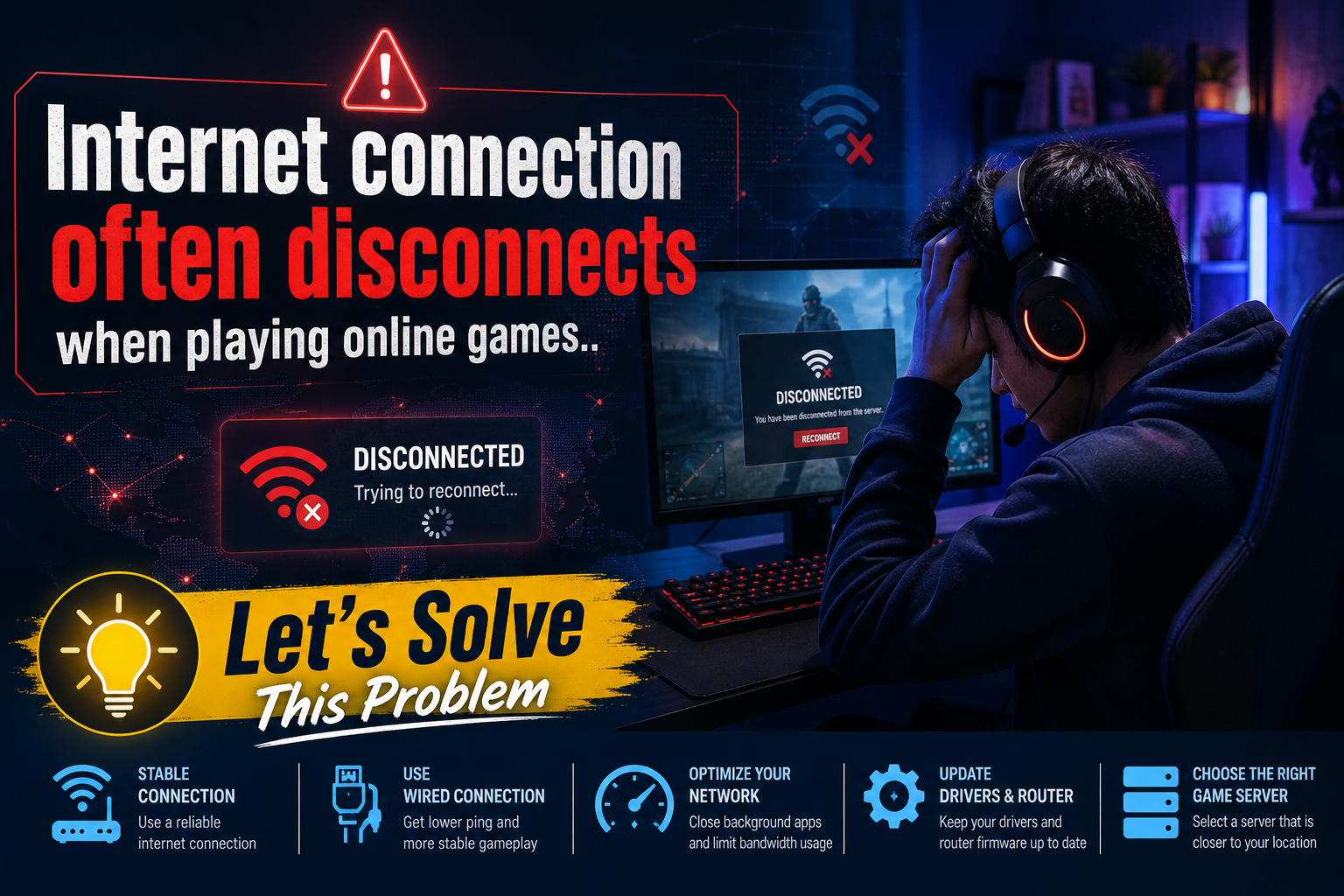
How are you? In this article, we will discuss the frustration many of you face when your internet connection often disconnects while playing your favorite online games. These interruptions can be incredibly annoying and impact your overall gaming experience. Understanding the root causes and potential solutions for these frequent disconnections is crucial for every avid gamer.
List of contents:
- Common Causes of Internet Disconnections
- Checking Your Internet Speed
- Router Placement and Its Importance
- Impact of Network Congestion
- Using a Wired Connection vs. Wi-Fi
- Interference from Other Devices
- Updating Router Firmware
- Best Practices for Gaming
- Optimizing Your Network Settings
- Choosing the Right ISP
- Using Quality of Service (QoS)
- Investigating Outages with Your ISP
- Troubleshooting Your Connection
- When to Replace Your Router
- Seeking Professional Help
Now that you have the contents outlined, please feel free to continue reading. Understanding how to deal wit
Common Causes of Internet Disconnections
One of the most frustrating experiences for online gamers is when their internet connection unexpectedly disrupts during gameplay. There are several factors that could contribute to this issue, and identifying the root cause is essential for a smoother gaming experience.
Network Congestion is one of the primary causes of disconnections. When multiple devices are connected to the same network, the bandwidth may become strained, leading to unstable connections, particularly during peak hours when many users are online.
Another common issue is router malfunction. If the router isn’t functioning properly, it can result in frequent disconnections. Regular maintenance, such as updating firmware and rebooting the router, can help mitigate these problems.
Checking Your Internet Speed
Having a stable internet connection is crucial, especially when engaging in online games. Frequent disconnections can lead to frustration and a poor gaming experience. One of the first steps you can take to address this issue is by checking your internet speed. A slow connection may not support the demands of high-quality gaming. Regularly testing your speed can help you determine if your current plan meets your gaming needs.
Understanding Internet Speed
Internet speed is generally defined by two key measures: download speed and upload speed. Download speed indicates how fast data is received from the internet, while upload speed shows how quickly data is sent from your device. For most online games, higher download and upload speeds ensure smoother gameplay and reduce lag times.
| Speed Type | Download Speed | Upload Speed |
|---|---|---|
| Casual Gaming | 3-6 Mbps | 1 Mbps |
| Competitive Gaming | 15-25 Mbps | 3-5 Mbps |
| Streaming and Gaming | 25+ Mbps | 5 Mbps |
Router Placement and Its Importance in Solving Internet Connection Disruptions During Online Gaming
One of the common issues faced by gamers is the frequent disconnection of the Internet while playing online games. Router placement plays a significant role in ensuring a stable and strong connection. Properly positioning your router can help mitigate interference and improve signal strength, leading to a smoother gaming experience. Factors such as distance, obstacles, and the type of network setup can drastically affect your connectivity. Consider relocating your router to a more central location within the home, away from walls and electronic devices to enhance performance.
- What causes my Internet to disconnect while gaming?
- How can I improve my Internet connection for gaming?
- Is using a wired connection better than wireless?
- Should I upgrade my router for better gaming performance?
- Can other users on my network affect my gaming experience?
Impact of Network Congestion
When experiencing frequent disconnections during online gameplay, a significant culprit can be network congestion. Network congestion occurs when the demand for bandwidth exceeds the available capacity, resulting in slow connections and disrupted services. This issue is particularly frustrating for gamers, as it can lead to sudden drops, affecting overall performance and enjoyment of the game.
Moreover, understanding the nature of network congestion is essential for gamers and internet users alike. It can stem from various factors such as excessive usage during peak hours, the number of devices connected to the network, or even issues with Internet Service Providers (ISPs). As a result, optimizing one’s network settings and ensuring minimal interference can greatly enhance the online gaming experience.“Improving one’s connectivity is not merely a matter of hardware but understanding the complexities of network dynamics.”
Using a Wired Connection vs. Wi-Fi
When it comes to online gaming, maintaining a stable internet connection is crucial for an enjoyable experience. Players often find themselves frustrated with frequent disconnections during gameplay, which can ruin the immersion and fun. One common solution is to consider the type of internet connection being used. A wired connection, such as an Ethernet cable, typically provides more stability and lower latency compared to Wi-Fi. On the other hand, Wi-Fi offers convenience and mobility but can be susceptible to interference and fluctuations.
Advantages of a Wired Connection
- Lower latency and faster speeds
- Less interference from other devices
- Consistent and stable connection
- No need to worry about signal loss
Disadvantages of Wi-Fi
While Wi-Fi can be convenient, it presents various challenges that may impact your gaming experience. Factors influencing Wi-Fi performance include distance from the router, obstacles like walls, and interference from other electronic devices. Ultimately, choosing a wired connection can help mitigate these issues and provide a smoother gaming experience.
| Connection Type | Latency | Speed | Stability |
|---|---|---|---|
| Wired | Low | Fast | High |
| Wi-Fi | Variable | Moderate | Variable |
Interference from Other Devices
One of the most common reasons for an unstable internet connection while playing online games is interference from other devices. This interference can originate from various sources, including nearby routers, microwaves, and even Bluetooth devices. When multiple devices are using the same frequency band, especially in congested areas, it can lead to a degraded gaming experience. To mitigate this issue, it’s essential to ensure that your gaming device has a strong and direct connection to your router.
Types of Interference
Interference can be categorized into two main types: physical barriers and electronic devices. Physical barriers, like walls and furniture, can obstruct signals, while electronic devices can emit signals that disrupt the Wi-Fi connection.
| Type of Interference | Description |
|---|---|
| Physical Barriers | Obstructions like walls, floors, and large furniture can weaken the Wi-Fi signal. |
| Microwaves | Microwaves can operate on the same frequency as Wi-Fi, causing interruptions. |
| Bluetooth Devices | Bluetooth operates in the same frequency range, which can lead to conflicts. |
| Neighboring Routers | Multiple Wi-Fi networks within close proximity can cause interference. |
Updating Router Firmware
One common reason for intermittent internet disconnections during online gaming is outdated router firmware. Regularly updating your router’s firmware can enhance its performance and stability, leading to a more reliable gaming experience. Manufacturers often release updates that fix bugs, improve security, and optimize the router’s functionality, which can significantly impact your connection quality.
To update your router’s firmware, access your router’s settings through a web browser by entering its IP address. If you’re unsure of the address, it is typically found on a sticker on the router itself or in the user manual. After logging in, look for a firmware update section; from there, you can follow the prompts to download and install the latest version. Remember, keeping your devices updated is essential to ensure smooth performance.How often should I check for firmware updates? It’s best to check at least once a month.
Best Practices for Gaming
Experiencing frequent disconnections while playing online games can be incredibly frustrating. This issue often stems from an unstable internet connection, which can be influenced by various factors such as network congestion, insufficient bandwidth, or even hardware limitations.
To mitigate these disconnections, it is essential to optimize your gaming setup. First and foremost, ensure that your router is updated and positioned in a location that maximizes coverage. Additionally, consider using a wired connection rather than Wi-Fi if possible, as this can drastically improve stability and reduce latency.
Furthermore, monitoring your network usage during gameplay can be beneficial. Close any unnecessary applications or devices that may be consuming bandwidth, allowing for a smoother gaming experience. Implementing these best practices can enhance your online gaming sessions and reduce the likelihood of frustrating interruptions.
Optimizing Your Network Settings
Experiencing frequent disconnections while playing online games can be frustrating. To enhance your gaming experience, it’s essential to optimize your network settings. Poor connectivity often results from factors such as bandwidth limitations, network congestion, or improper configuration of your router. Make sure to regularly check your internet speed and consider using a wired connection for improved stability and lower latency.
- What causes frequent disconnections during online gaming?
- How can I improve my internet speed?
- Is it beneficial to use a VPN while gaming?
- Should I prioritize bandwidth for gaming?
- What settings should I adjust on my router?
Choosing the Right ISP
Having a stable internet connection is crucial for an enjoyable online gaming experience. Many gamers face the frustration of frequent disconnects, which can severely impact gameplay. Choosing the right Internet Service Provider (ISP) can significantly reduce these issues. An ISP that meets your specific needs can enhance your overall gaming experience, allowing for smoother connections and less lag.
- Understand the importance of speed: A higher bandwidth provides faster data transfer, which is vital for online gaming.
- Check the reliability of the ISP: Look for providers with a reputation for consistent service.
- Examine customer reviews: User feedback can provide insights into the ISP’s performance and support.
- Consider data caps: Choose an ISP that offers unlimited data, especially if gaming consumes a lot of your bandwidth.
- Look for low latency: A lower ping rate is essential for real-time gaming activities.
- Customer support: Ensure the ISP has a responsive support team to help resolve any issues quickly.
- Evaluate pricing: Compare plans to find a balance between cost and quality of service.
- Check for local coverage: Ensure that the ISP provides coverage in your area for reliable connectivity.
- Investigate fiber optic options: Fiber connections typically offer superior speed and reliability compared to DSL or cable.
By carefully considering these aspects when selecting your ISP, you can minimize the chances of experiencing disconnections while gaming online, ultimately leading to a more enjoyable experience.
Using Quality of Service (QoS)
The issue of internet connectivity disconnecting during online gaming can be incredibly frustrating for players. One effective way to address this problem is by employing Quality of Service (QoS) settings on your router. QoS prioritizes gaming traffic over other types of data transfer, which can significantly enhance your online gaming experience.
- QoS allows for better bandwidth management.
- It prioritizes gaming packets, reducing latency.
- Helps to ensure a stable connection by limiting less important traffic.
- Can improve overall network performance during peak hours.
- Reduces the chances of disconnection while playing.
- Provides smoother gameplay, leading to better performance.
- Allows for personalized settings based on your gaming preferences.
Investigating Outages with Your ISP
Encountering frequent disconnections while playing online games can be frustrating. Many gamers face this issue, which could be a result of various factors related to your Internet Service Provider (ISP). It’s essential to diagnose the problem accurately, as it may not always be due to your gaming setup but might be linked to how your ISP manages its network. Often, gamers overlook the importance of contacting their ISP to investigate potential outages or disruptions that could be affecting their connection.
- Why does my internet disconnect while gaming?
- How can I check if there’s an outage in my area?
- Does my router affect my gaming experience?
- What can I do to improve my internet connection?
- Should I talk to my ISP about my gaming issues?
Troubleshooting Your Connection
When playing online games, experiencing frequent disconnections can be quite frustrating. It not only disrupts your gaming experience but can also impact your performance. To tackle this issue, it’s essential to understand the various factors that may contribute to an unstable connection. Here’s how you can tackle this problem effectively:
- Check Your Internet Speed: Make sure your internet connection speed meets the requirements for online gaming.
- Use a Wired Connection: A wired Ethernet connection is often more stable than Wi-Fi.
- Update Network Drivers: Ensure your device’s network drivers are up to date to avoid compatibility issues.
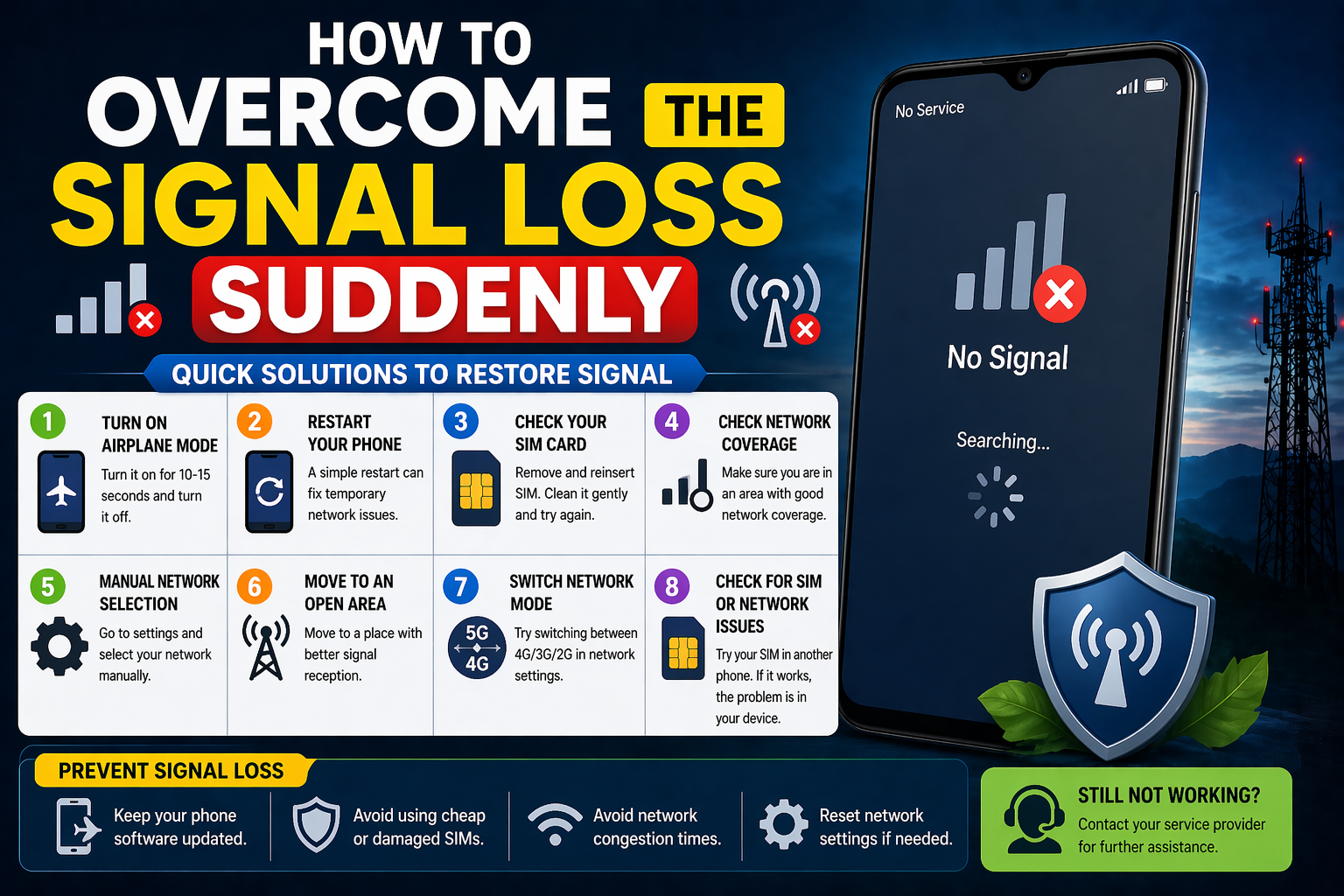
- Restart Your Router: Sometimes, simply restarting your router can resolve connectivity problems.
- Adjust Quality Settings: Lowering the quality settings in games can help in maintaining a stable connection.
- Disconnect Unused Devices: Ensure other devices on your network are not consuming bandwidth unnecessarily.
- Contact Your ISP: If issues persist, consider reaching out to your Internet Service Provider for further assistance.
When to Replace Your Router
Experiencing frequent disconnections while playing online games can be incredibly frustrating. One common culprit behind these interruptions is an outdated or malfunctioning router. Investing in a new router may enhance your gaming experience and ensure a more stable connection. In this article, we will discuss how to determine whether it’s time to replace your router and explore potential solutions for the issue at hand.
- What are the signs that my router is failing?
- How often should I replace my router?
- Can an outdated router affect my gaming experience?
- What features should I look for in a new gaming router?
- Are there any specific brands known for gaming routers?
Seeking Professional Help
In the realm of online gaming, a stable internet connection is essential for an enjoyable experience. Unfortunately, issues like frequent disconnections can ruin the fun and lead to frustration. If you’ve tried all the common troubleshooting methods, it might be time to consider seeking professional assistance.
Professional help can come from various sources. Your Internet Service Provider (ISP) has technical experts who can diagnose and resolve connectivity issues that may be beyond your control. Additionally, hiring a local technician can help identify hardware problems, such as router malfunctions or cabling issues, which could be causing interruptions in your gaming experience.
Investing in professional help can prove to be beneficial in the long run. You may discover that your equipment isn’t up to date, or that there are settings in your modem/router that need optimization. As one expert suggested, “Sometimes, the problem lies not with your connection, but with the settings and hardware that support it.” Understanding the technical aspects of connectivity can help ensure smoother gaming sessions moving forward.
In conclusion, don’t hesitate to seek professional help if persistent internet disconnections continue to plague your online gaming. By leveraging expert knowledge and resources, you can enhance your gaming experience significantly. We hope you find a solution to your connectivity issues soon!
Until we meet again in another interesting article, thank you!